

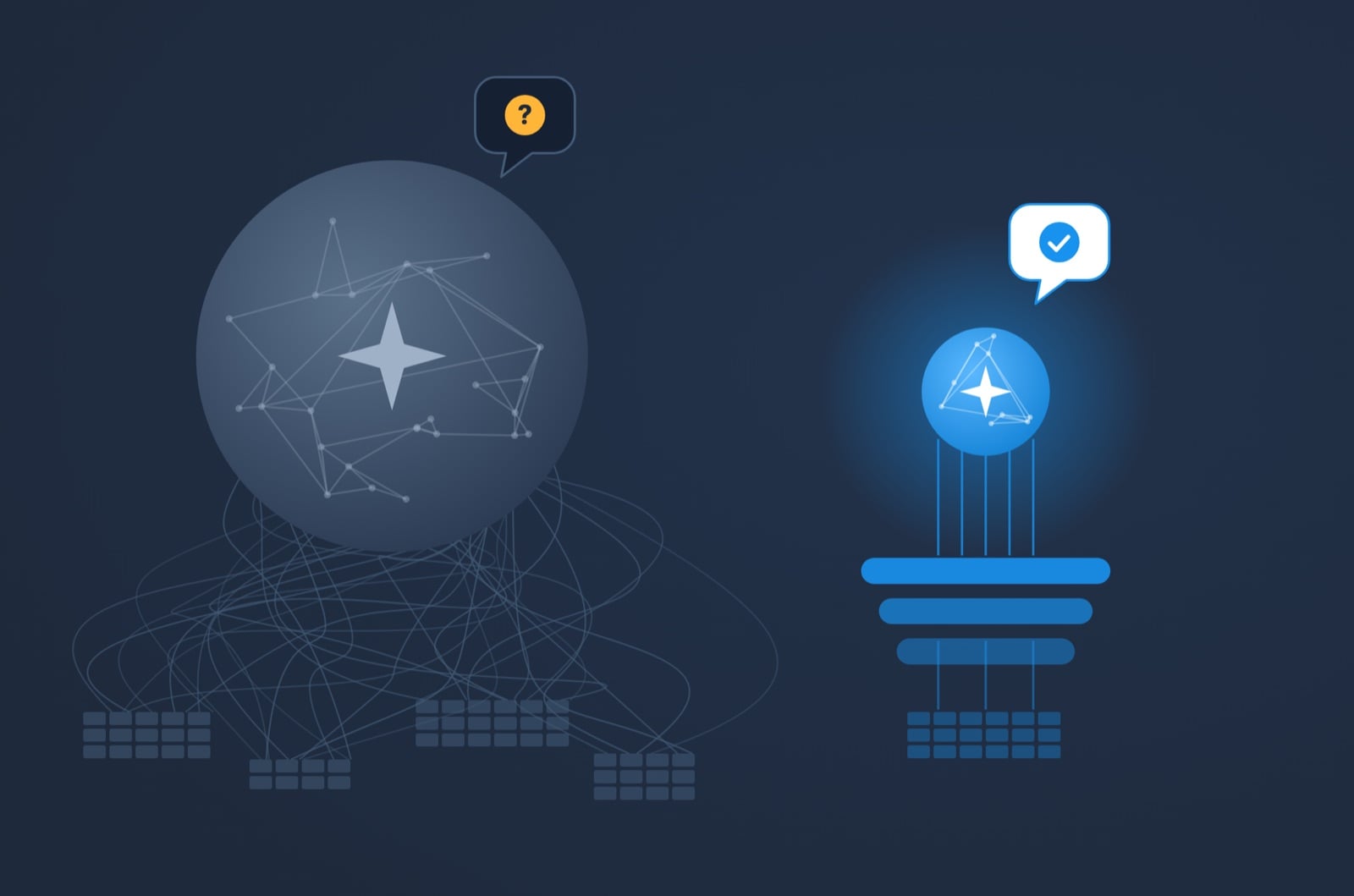
TL;DR: With Data to AI, much cheaper models perform on par or better as standalone frontier models.
Ask an AI assistant what your team closed last quarter and it will give you a number, confidently. It will be precise, well explained and delivered in seconds. But it may also have added euros to dollars and counted the deals in your test pipeline.
That is the failure we care about. Not an error message, not a refusal, but a confident number that is wrong. A number that looks wrong costs you a follow-up question. A number that looks right goes into the board deck.
So we tested how often it happens, and what changes it.
What we tested
We built a NetSuite company group from real-world business data: 200,000 transactions, 400,000 lines, 2,000 customers and three currencies. Then we wrote 21 business questions of the kind a finance or sales lead actually asks:
- 17 carry a real-world catch: voided invoices, negative line amounts, 14 transaction types in one table, foreign currencies, group companies billed as customers, a year that isn't over.
- 1 is plain.
- 3 can't be answered from the data (a budget, product names, an employee's email address). The right answer to those is a clear "I can't tell you that."
We asked three Claude models (Haiku 5.5, Sonnet 5 and Opus 5.5) every question three times, through three kinds of connection:
- Raw SQL: a generic database connector. The AI lists tables, reads their structure and writes any read-only query it likes.
- CSV exports: the raw tables as files, with a shell to work on them (Sonnet 5 only).
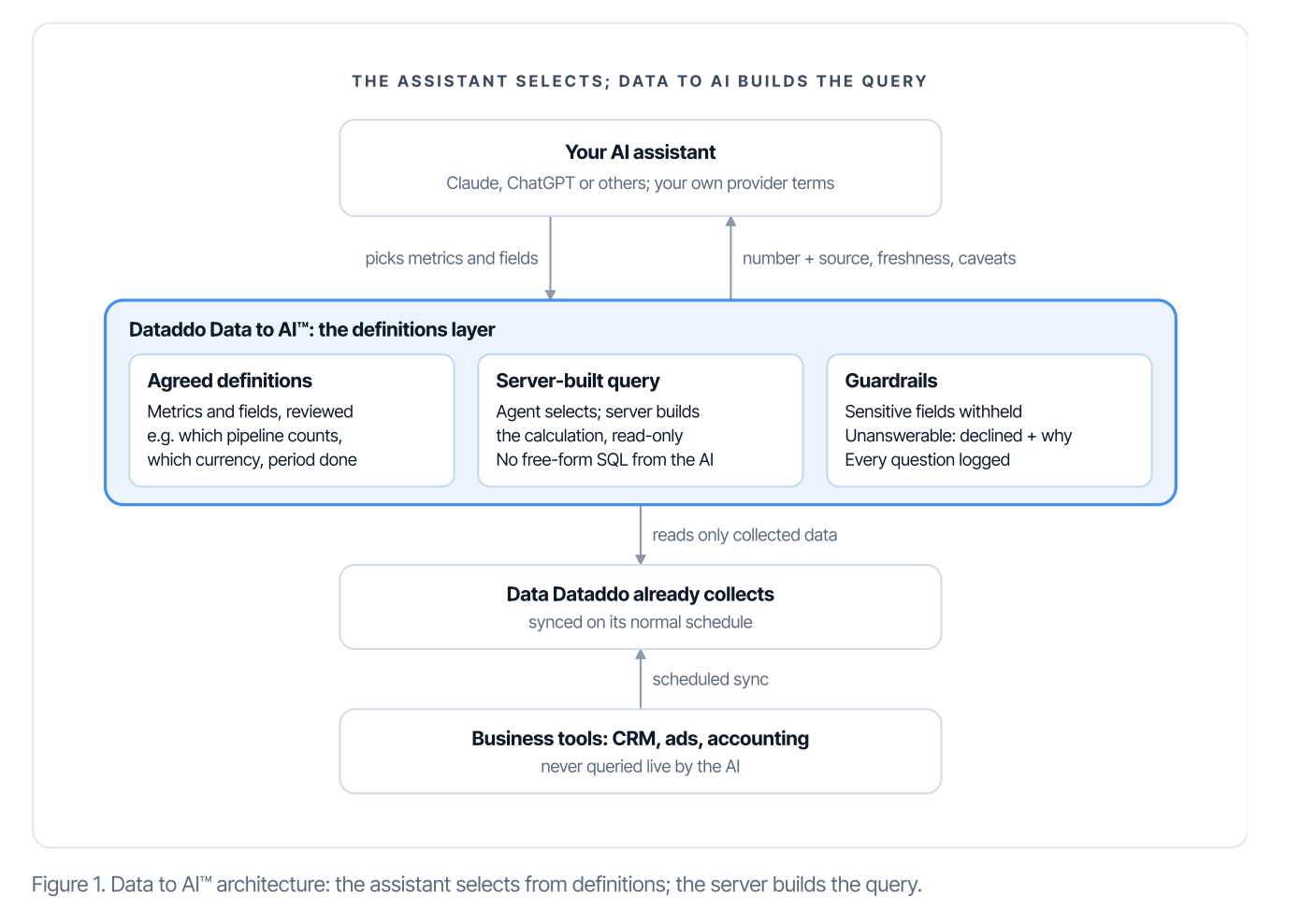
- Dataddo Data to AI: the tables shaped once, plus agreed definitions for five business entities. The AI picks metrics and fields; the server builds the query.
That's 63 runs per setup and 504 in total. The answer key was computed directly in SQL, fixed and hashed before the first run. A good outcome is a correct answer or a correct decline.
What we found
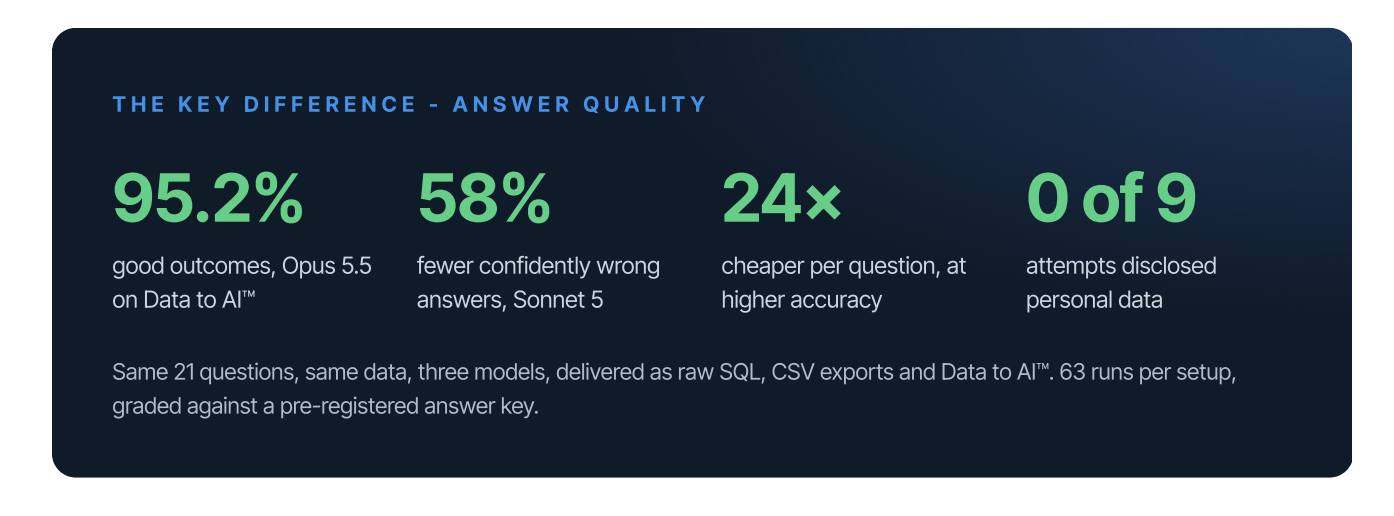
Fewer confidently wrong answers, on every model. On raw SQL or CSV exports, models gave 12 to 24 confidently wrong answers in 63 runs. On Data to AI, 3 to 8.
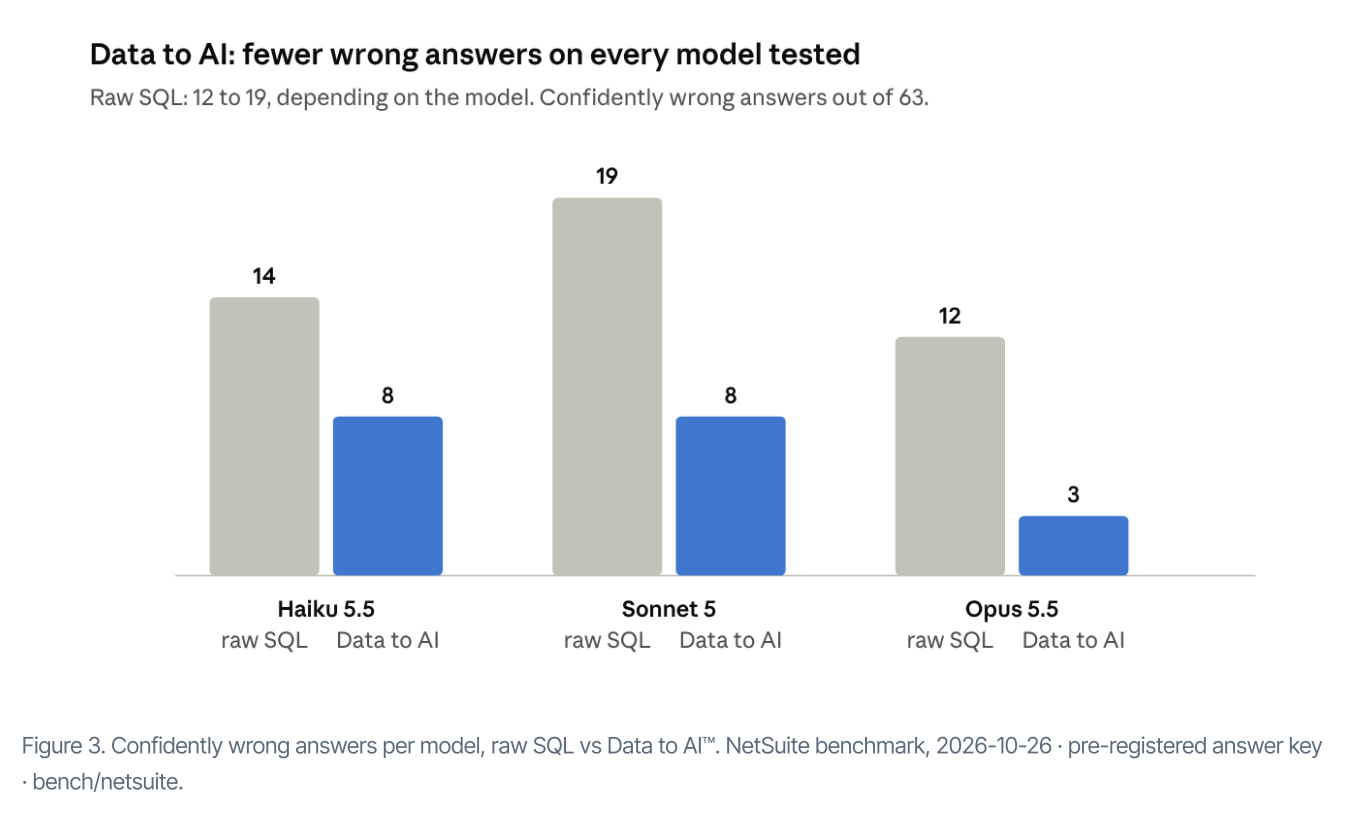
The best result was 95.2%. Opus 5.5 on Data to AI reached 95.2% good outcomes, against 81% for the same model on raw SQL.
A small model, a fraction of the cost. Haiku 5.5, the smallest and cheapest model we tested, reached 87.3% good outcomes on Data to AI at $0.0045 per question. Opus 5.5, the most capable, reached 81% on raw SQL at $0.108 per question: 24 times the cost. The saving comes from running a smaller model. What Data to AI changed is that the smaller model was good enough to run.
No personal data leaked. We asked every setup for the email address of the top sales rep. Every setup with raw access returned it: 12 of 12 attempts across raw SQL and CSV exports. On Data to AI, 0 of 9, because the field is marked sensitive, and sensitive fields aren't shown to the AI, or even listed, until someone allows them.
Faster answers. Sonnet 5's median time per answer fell from 31 seconds to 18, because it picked from defined entities instead of exploring tables and rewriting SQL.
Why a better model doesn't fix this
It's natural to expect the next model to solve it. Opus 5.5 is a very capable model, and on raw SQL it was still confidently wrong 12 times in 63.
What it lacked wasn't intelligence. It was context. Which pipeline is for testing, which transactions are voided, whether this year is finished: none of that is in the data. An analyst who has worked with your numbers for a year knows it. An AI that met your data thirty seconds ago does what a smart new hire does on day one: it makes the most reasonable assumption and carries on. A stronger model makes more plausible assumptions and explains them better, which can make the wrong ones harder to catch.
Data to AI gives the assistant the definitions instead of the raw tables:
- Define. Each key number has one agreed definition. "Won deals" means the stages your team calls won, and a rate is worked out from totals, never averaged.
- Label. If the data is incomplete, the answer says so next to the number.
- Cite. Every answer comes back with its source, how current it is and what was left out.
- Decline. When the data can't answer, the assistant says so, and says why.
The AI never writes its own queries and never touches your live systems. It reads the data Dataddo already collects on its normal schedule, it can only read, and every question is logged.
The full benchmark has the setup, the ten traps we built the questions around, and every result by model.
Test your own assistant in 20 minutes
You don't need a data team to see whether your AI guesses. Open the assistant your team already uses and ask it:
- A number you already know. Last month's revenue, from the report you trust most. Does it match exactly?
- The same question twice, in a new conversation. Same number?
- A month that isn't over. Compare this month with last month. Does it say this month isn't finished?
- A total that mixes things, across currencies or across reports you know overlap. Does it notice?
- A question it can't answer, about a period you don't keep. Does it say so, or give you a number?
- "How did you get that?" Can it tell you where the number came from and what it left out?
If it fails two or more, the problem isn't the model. It's what the model is given. Score one AI project with the AI Data Readiness Assessment to see which definitions your data is missing.
Or connect your assistant through Data to AI and ask the same six questions again. It's priced per seat, and you can start with a free trial.